
Batch LAS Files tab
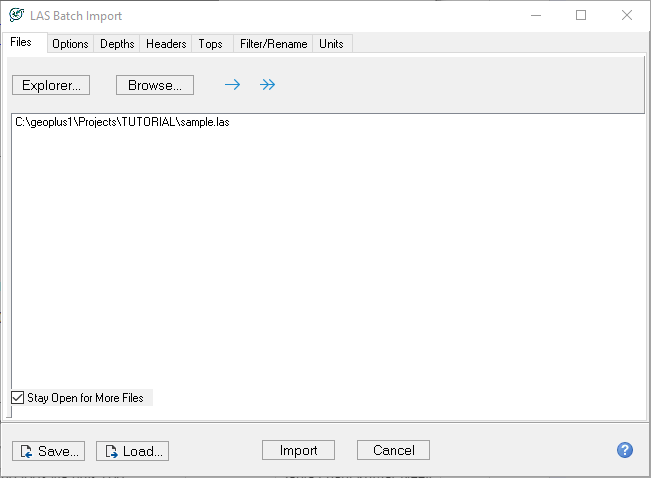
The Files tab sets the list of LAS files that will be imported into the project. You can import by simply dragging and dropping files into the Files to Import box from Windows Explorer.
-
Explorer opens Windows Explorer. Browse to add another file or change the selected file.
-
Browse takes you to the directory where the selected file is saved.
-
 Single arrow: "Drop the file from the list". Double arrow: "Clear list".