
Import LAS Log Data File
Main: Project > Import > Digital Logs From > LAS File
The most common digital log format is the LAS file, which was codified as a standard by the Canadian Well Logging society in 1990. LAS files store log data about a single well in a single file with a multipart header at the top. The header has several different parts prefixed by a tilde (~).
|
~V |
Version and wrap mode information |
|
~W |
Well identification |
|
~C |
Curve information |
|
~P |
Parameters or constants |
|
~O |
Other information such as comments |
|
~T |
Top information |
To enlarge image, right click on thumbnail and select Open in new window
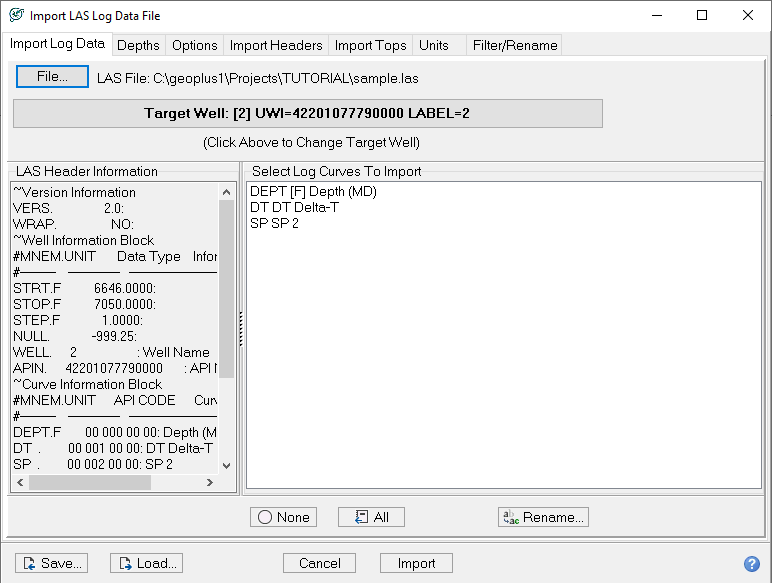
|
Shows the LAS header information and the available log curves in the LAS file |
|
|
Restricts the depth range, units of measurement, and sample rate of imported log curves |
|
|
Controls how Petra handles overlaps between curves already in the database and the selected LAS file |
|
|
Imports header information into the project zone data items |
|
|
Selects which tops are brought into the project |
|
|
Converts metric-imperial units for sonic and density logs, and decimal-percent for porosity logs. |
|
|
Filter/Rename
|
Apply a curve translation file to rename curves. |