
System Colors
Main: Project > Settings > System Colors
The System Color and Style Definitions window sets the color, line thickness, and line style for "Picture Elements" in different Petra modules. These Picture Elements include graph lines, titles, borders, and grids.
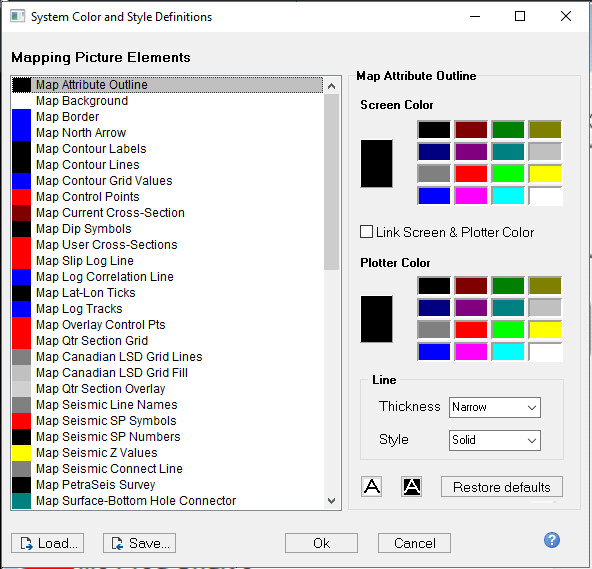
The dialog contains the following:
|
Picture Element List |
Petra's Picture elements are grouped by module. As an example, map elements are listed seperately from cross-section elements. Choose the picture element to customize by clicking on the Picture Element list box. |
|
Screen Color |
Change the element's screen color by clicking on one of the screen palette color cells. |
|
Plotter Color |
Change the element's plotter color by clicking on one of the plotter palette color cells. |
|
Line Thickness |
Choose the element's line thickness from "narrow", "normal", "wide" or "extra wide". |
|
Line Style |
Choose the element's line style of "solid", "long dashes", "short dashes", "dot-dashed", "dotted" or "alternating" (every other pixel). |
|
Restore defaults |
Click to restore the color of the mapping picture elements to the original, default color palette. |