Production Normalization Oil,Gas, Water, Other (1-5) tabs |
|
Petra can store multiple production streams for an individual well. Typically these production streams include oil, gas, and water values along with a few reservoir-specific streams. The Production Group Normalization Tool has 8 tabs named Oil, Gas, Wtr, and Other 1-5 for displaying separate production streams on the same plot. Each tab sets the display options for one production stream. Despite the naming convention, you can select any production stream and any color for each tab. To toggle the display of these different streams on the plot, use the first 8 buttons on the toggle bar at the top of the screen:
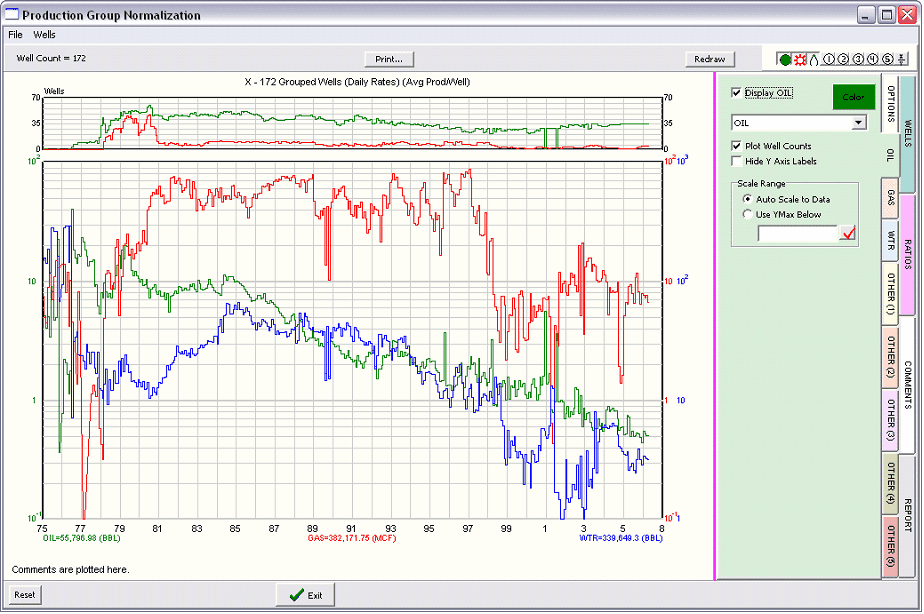
Display - This check box toggles the display of the currently selected production stream on and off. The color box immediately to the left allows you to change the color of the production plot on the screen. Plot Well Counts When Show Well Counts is enabled on the OPTIONS TAB, this displays a graph of the well count graph for the production stream as shown in the example. This well count graph shows the total number of wells with production values for each month. Hide Y Axis Labels By default, every stream shown on the plot has its own production scale added to the Y axis. This option hides the selected production stream's axis labels. When multiple production streams are shown at the same scale, it's sometimes helpful to only show one set of values. Scale Range By default, Petra default automatically sets the Y axis scale for production, shown by Auto Scale to Data. Selecting Use YMax Below allows you to select a specific maximum value for the Y axis. Style Style options for the production stream plots include standard color, line width, and line style. |
 .
.