
Raster Batch Import from Bulk Log Database (Direct Connect)
LIC files are PETRA's log image calibration files created as a result of manual depth calibration or import of other calibrated raster log files.
When importing calibrated raster logs from the Bulk Log Database, click Raster under Options at the bottom of the Import S&P Global Well Logs dialog box to open the Batch Import PETRA Log Image Calibration (LIC) Files dialog box.
This function will assign multiple raster log images to wells by reading LIC or IHS XML files. XML files must be in the IHS format. Use this function to quickly import/assign raster logs created by other PETRA projects.
After you specify your import options and image file locations, click OK and then Import to proceed.
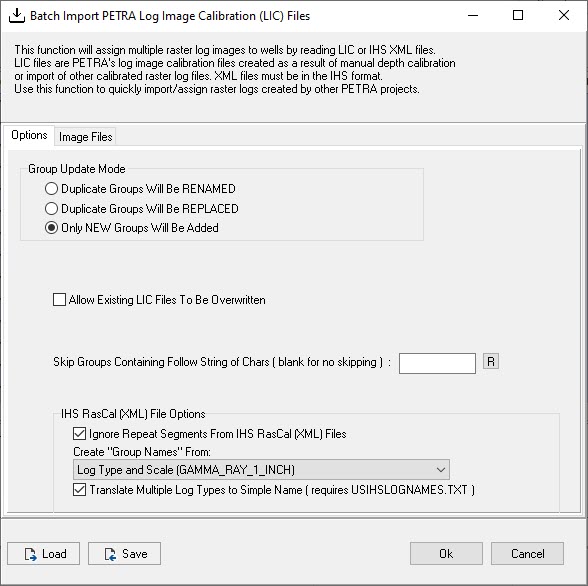
Click on image thumbnail to enlarge, or right click on thumbnail to open in a new tab or window.
Options
The options tab pictured above includes the following:
|
Group Update Mode |
Select the behavior if duplicate groups (images) already exist in the project: rename, replace, or add new only. |
|
Allow Existing LIC Files to be Overwritten |
Incoming LIC files will overwrite existing files with the same name. |
|
Skip Groups |
If your corporation uses any special characters to denote a particular state, you can enter those characters and the files containing those characters will be skipped. |
|
IHS RasCal (XML) File Options |
RASCAL stands for "Raster Log Software for Carbonate Analysis and Loading". An IHS RASCAL (XML) file is an XML-based file that contains well and log data, including information such as well names, log curves, and log data values. |
Image Files
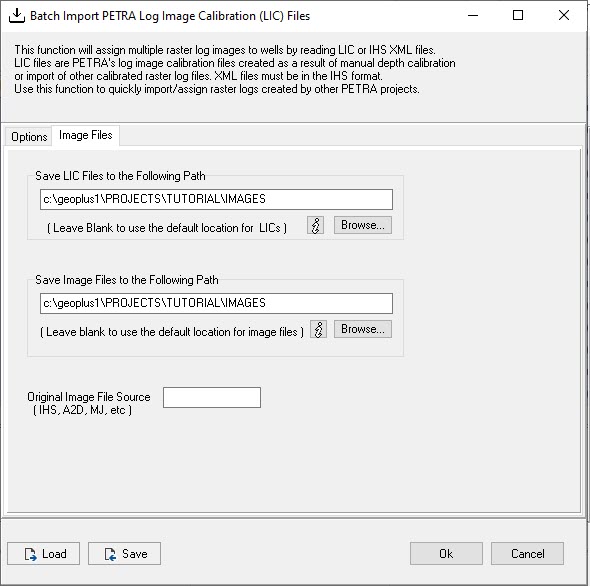
By default raster image and LIC files are saved in the Images folder in the Petra project folder. Click the information icon  below each Save box to populate the box with the default location in the Petra geoplus1 directory: c:\geoplus1\PROJECTS\PROJECTNAME\IMAGES
Also note that as per the text on the dialog box, if left blank, the default locations will be used. To specify a different directory click Browse and navigate to the desired location.